














For general contractors and subcontractors
Know who has your tender before closing
Most construction bid management happens in email threads and shared folders. Bids gives an estimating team one place to send tender packages, track every sub's response by division, and close tenders on time.
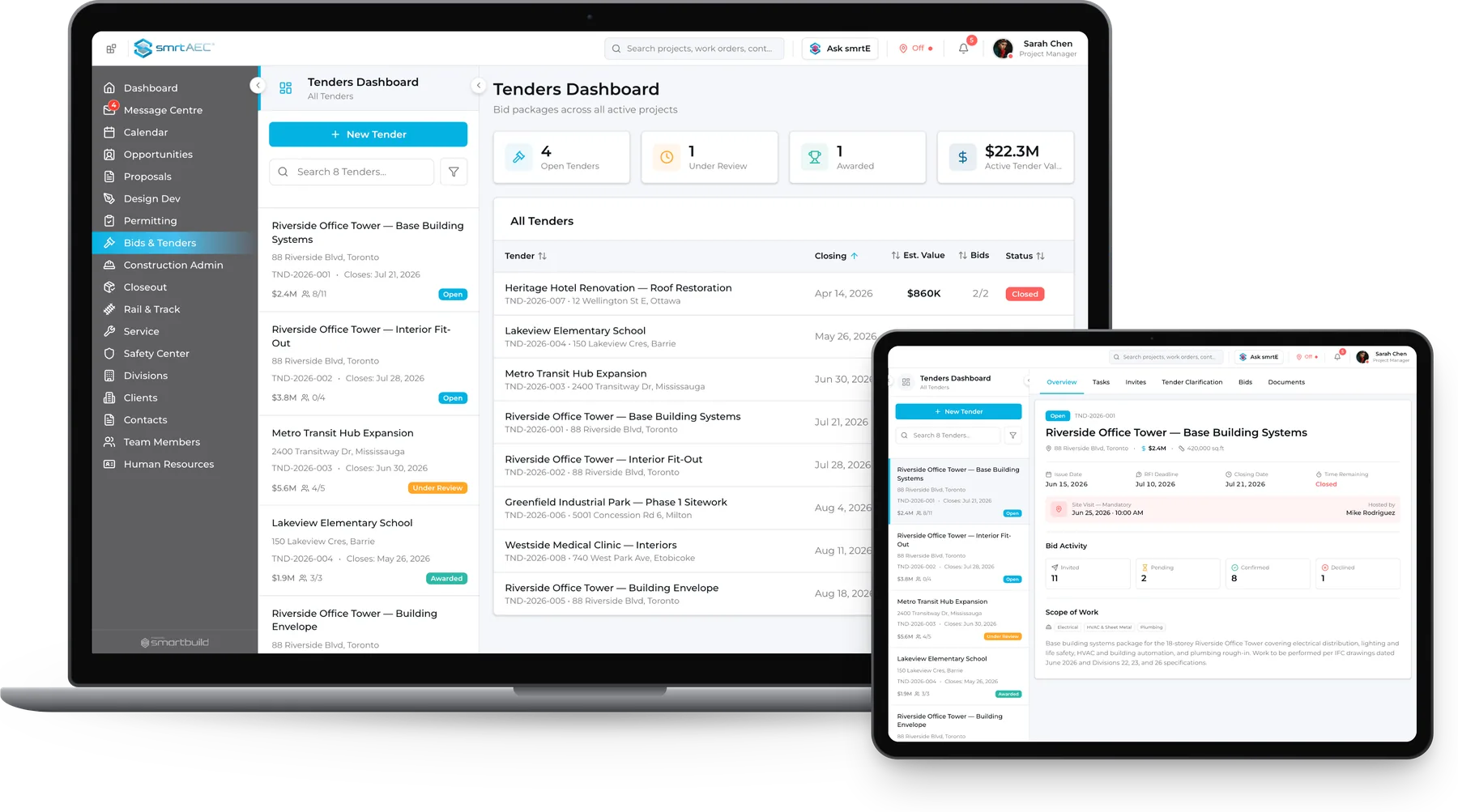
Tendering by email makes bid status hard to track
Tender packages go out as email attachments or shared links. Replies come back in different formats, declines often go unspoken, and the estimator keeps the status of every sub in a spreadsheet.
By closing day it is hard to say which subs have the current drawings, who has dropped out, and which divisions are still short of bids.
| Email + Dropbox | Standalone bid platform | smrtBids |
|---|---|---|
| Email + DropboxPackage sent by email with no confirmation of receipt | Standalone bid platformNotification sent, but subs must register to access it | smrtBidsInvitation sent by CSI division with status tracked from day one |
| Email + DropboxNo record of who downloaded the drawings | Standalone bid platformDownloads tracked only if the sub creates an account | smrtBidsDownload date visible per company with no registration needed |
| Email + DropboxAddendum emailed to whoever the estimator remembers | Standalone bid platformAddendum posted, with notification only for registered subs | smrtBidsAddendum added to the tender folder where every invited sub sees it |
| Email + DropboxSite visits arranged by phone and a separate calendar | Standalone bid platformSite visits coordinated outside the platform | smrtBidsSite visits scheduled, assigned and logged inside the tender |
Every sub. Every division. Every status.
| Aspect | Today | On smrtBids |
|---|---|---|
| Who has the package | TodayUnknown until the estimator calls | On smrtBidsVisible per company, in real time |
| Addendum distribution | TodayEmail thread from six weeks ago | On smrtBidsAdded to tender, all invitees see it |
| Division coverage | TodayBlind until bids arrive | On smrtBidsInvited / Pending / Confirmed / Declined per division |
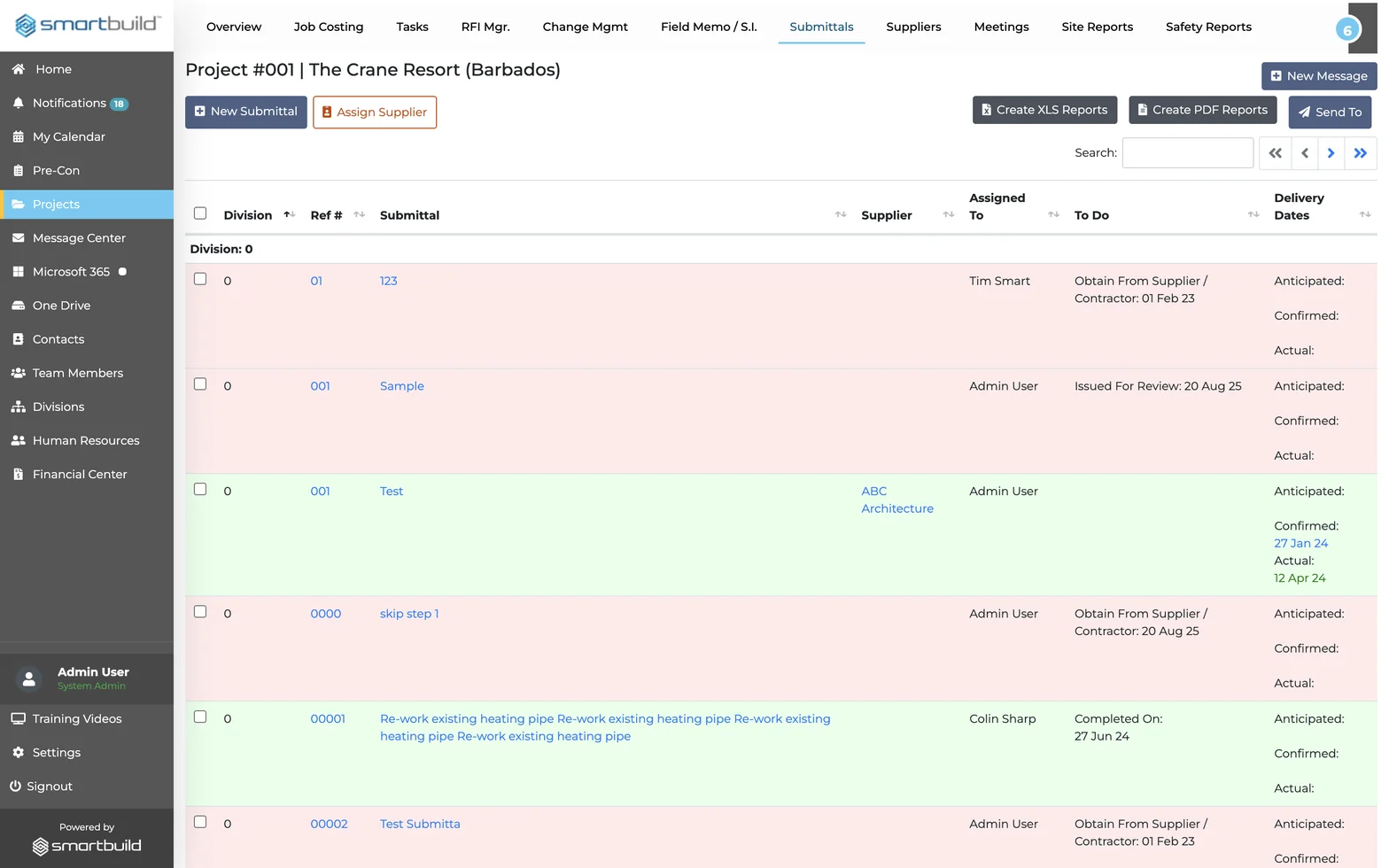
Everything your estimating team needs to run a tender from package to close
There are no email threads, no shared drive confusion and no calls asking who got the drawings. All of it runs inside Bids, connected to the project the team already manages in SMARTBUILD.
TENDER SETUP
Build the package before the first invite goes out
The estimator who sets up a tender in SMARTBUILD has everything in one record and does not have to search for what was sent or when.
- Tender details: title, description, scope of work, location, size, closing date, and time in one record
- Live countdown timer showing days and hours remaining to tender close, visible on the dashboard
- Assign an estimator to each tender so ownership is clear from setup to close
INVITATION AND STATUS TRACKING
Know exactly who has your package at every stage
Bids shows whether each sub is in or out before anyone has to ask.
- Invite subs by CSI division: electrical, mechanical, concrete, and more
- Status tracked per company: Invited, Pending, Confirmed, Declined
- Download date logged for every company in the sub list, no sub registration required
- Search and filter suppliers by name or status across the full sub database
DOCUMENT DISTRIBUTION
Send the right version to every sub, every time
Each tender has five categorized folders, so files are not lost or mixed up.
- Separate folders for Addendum, Drawings, Specifications, Forms, and Other
- Add files to any folder and all invited subs see the current version
- Upload date logged per document, showing exactly when each file was shared
SITE VISITS AND TASKS
Site visits logged and tasks assigned in the tender
Mandatory and non-mandatory site visits are scheduled inside the tender instead of a separate calendar.
- Schedule mandatory or non-mandatory site visits with date, time, assignee, and notes
- Assign tasks to team members with due dates and completion status
- Priority tasks flagged separately in the dashboard so nothing critical gets missed
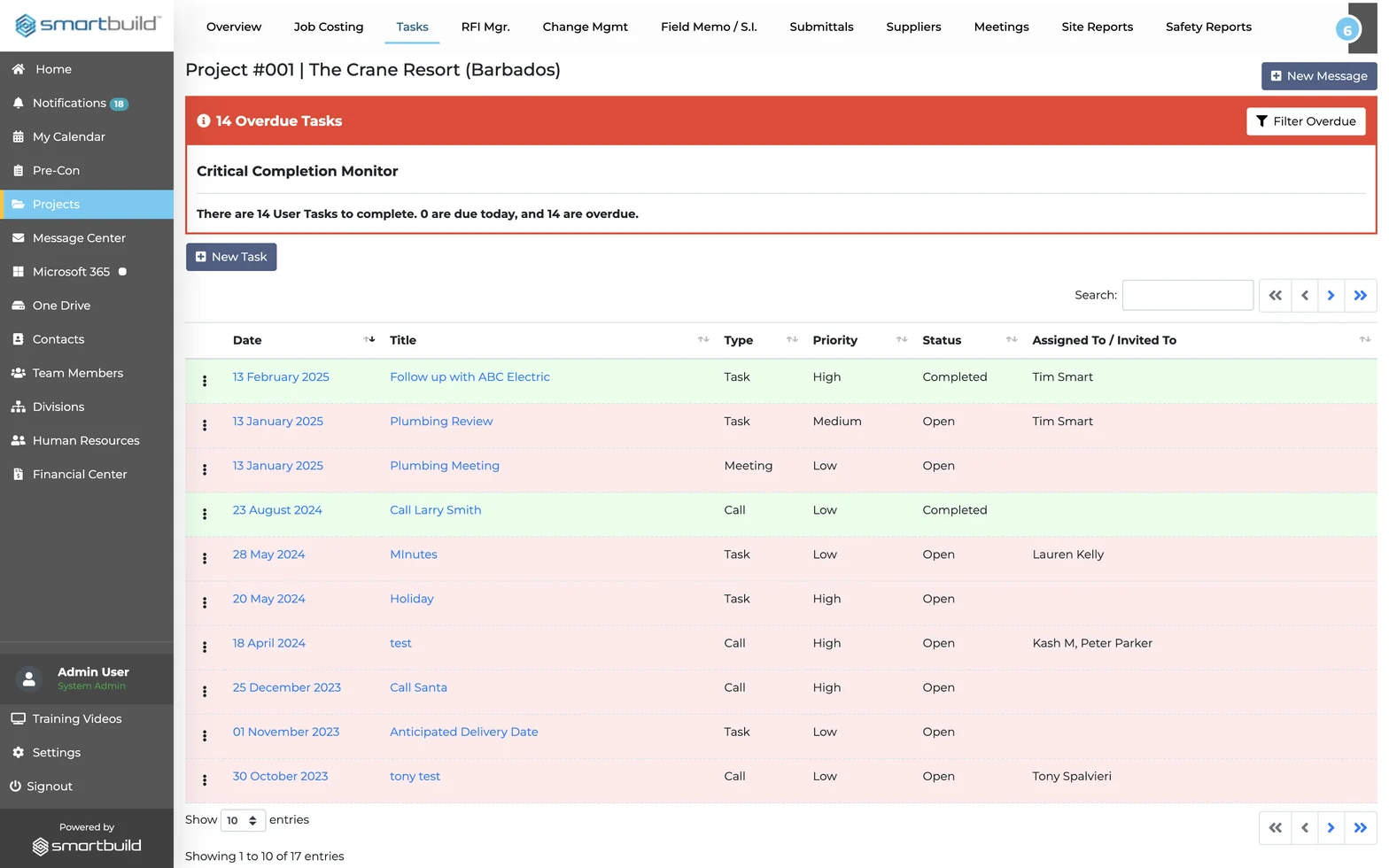
Division-based invitation tracking
Most bid tools show that an invitation was sent. Bids also shows which division it went to, whether the sub downloaded the package, and whether they confirmed, organized by CSI division across every trade on the tender. Coverage gaps show up before the closing date.
Questions estimators ask before adding Bids
What is construction bid management software?
Construction bid management software organizes the full tendering process: sending packages, tracking sub responses, managing addenda, and closing tenders in one place. Bids delivers this inside SMARTBUILD, so the bid workflow connects directly to project execution.
How does Bids track which subcontractors received my tender package?
Every invited sub is logged with an invitation date, a download date, and a status: Invited, Pending, Confirmed, or Declined. The estimator can see exactly who has the package, who confirmed they are bidding, and who dropped out, without making a phone call.
What is the difference between a tender and a bid in construction?
A tender is the package a general contractor sends to subcontractors requesting their price. A bid is the price the sub submits in response. SMARTBUILD manages the tender side: building the package, inviting subs by division, tracking responses, and closing on time.
How does Bids connect to the rest of SMARTBUILD?
Bids is a bolt-on to smrtGC or smrtSUB. The subcontractor contacts and division structure built in SMARTBUILD carry forward when a sub becomes part of the active job. Nothing is re-entered or duplicated when the project moves from bid to execution.
How is this different from managing bids by email and a shared drive?
Email only shows that the invitation was sent. Bids shows who downloaded the package, who confirmed, and who dropped out, organized by CSI division so coverage gaps are visible before closing. Subs do not need to register.
What does Bids cost?
Bids is a flat-fee bolt-on to smrtGC or smrtSUB, with one price for the full estimating team rather than per seat. Contact us for current pricing. No long-term contract is required to start.
See Bids on a live tender
The demo package has fourteen divisions invited and one left uncovered. Bids finds the gap, names the subs to chase and shows exactly what was sent to whom. The demo uses our package, so no files are needed.
- This flat-fee bolt-on covers unlimited users and projects.