





























Subcontractor construction management software

Run your jobs on your own numbers

smrtSUB is construction management software built for subcontractors. Every RFI, change order, daily report, and pay app is kept on the subcontractor's own record rather than the GC's.

  • Live in 10 to 14 days
  • Flat fee
  • Unlimited users and projects
  • Native integration with Microsoft 365
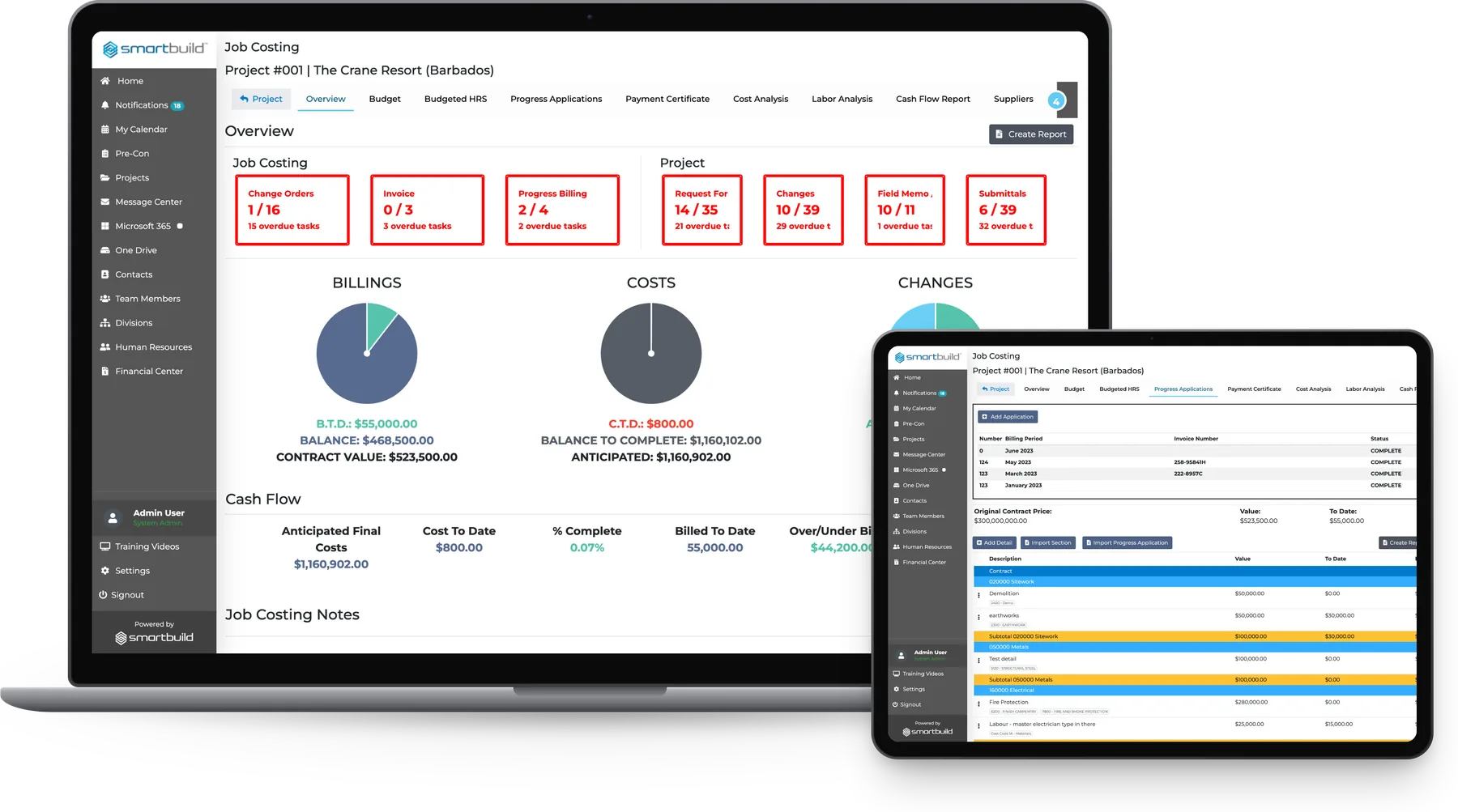
smrtSUB on a laptop and a tablet: the Job Costing overview with billings, costs and change charts and cash flow, and the Progress Applications billing periods beside it

Subcontractors across North America run their jobs on smrtSUB

A HattersleyAC ElectricAction MechanicalArthur Electric Inc.D&F Industries, Inc.Glover Hill MechanicalKal ElectricKeith's Plumbing and Heating Inc. (KPH Mechanical Contractors)Power Op Inc. (PowerOp Electrical Contractors)Quality MechanicalS&Z SheetmetalStecho Electric (Harold Stecho Electric Limited)Stellar Hi-Rise Mechanical Inc.Triple Tech Welding, LLC

Designed for subcontractor workflows

smrtSUB is built for the subcontractor.

Spreadsheets and email

  • RFIs arrive by email and sit in someone’s inbox
  • Change orders discussed by phone with nothing in writing
  • Daily reports drafted from memory at end of week
  • Pay app supported by what someone remembers
  • Closeout takes a week of rebuilding the record

A platform not built for subs

  • RFIs logged, but status is spread across disconnected tools
  • Change orders in the system but not tied to the pay app
  • Daily reports filed, with photos and hours in separate tools
  • Designed around the GC's workflow rather than the subcontractor's
  • Per-seat pricing that rises with headcount
  • Every RFI assigned, tracked, and flagged when overdue before anyone asks
  • Change orders logged on arrival, routed, and connected to billing
  • Daily reports, photos, and crew hours filed from site the same day
  • Pay app drawn from one live record
  • Flat fee with unlimited users and projects

Late responses become your problem

RFIs, submittal reviews and change orders all need answers before a crew can move on. When those answers come late, the subcontractor absorbs the delay, and anything not filed on time is hard to prove later.

Disputes are won by the better record

When a pay app is challenged or a back-charge arrives for a delay the crew did not cause, the outcome comes down to the records. Daily logs, photos, signed approvals and timestamped RFI responses are what settle it.

A worker in a hi-vis vest writing on a clipboard resting on an open drawing at a construction site, with a tape measure beside it
Today On smrtSUB
Pay app challenged because daily logs don’t match hours claimedDaily logs, crew hours, and site photos are filed as work happens, so the record supports the pay app before it is submitted.
Change order status requires checking three different placesEvery change order is logged, assigned, and tracked live on one screen.
A dispute surfaces at closeout and the team spends a week reconstructing the timelineEvery RFI, submittal, photo, and daily report is date-stamped and searchable from day one. Closeout is generated from the existing data.
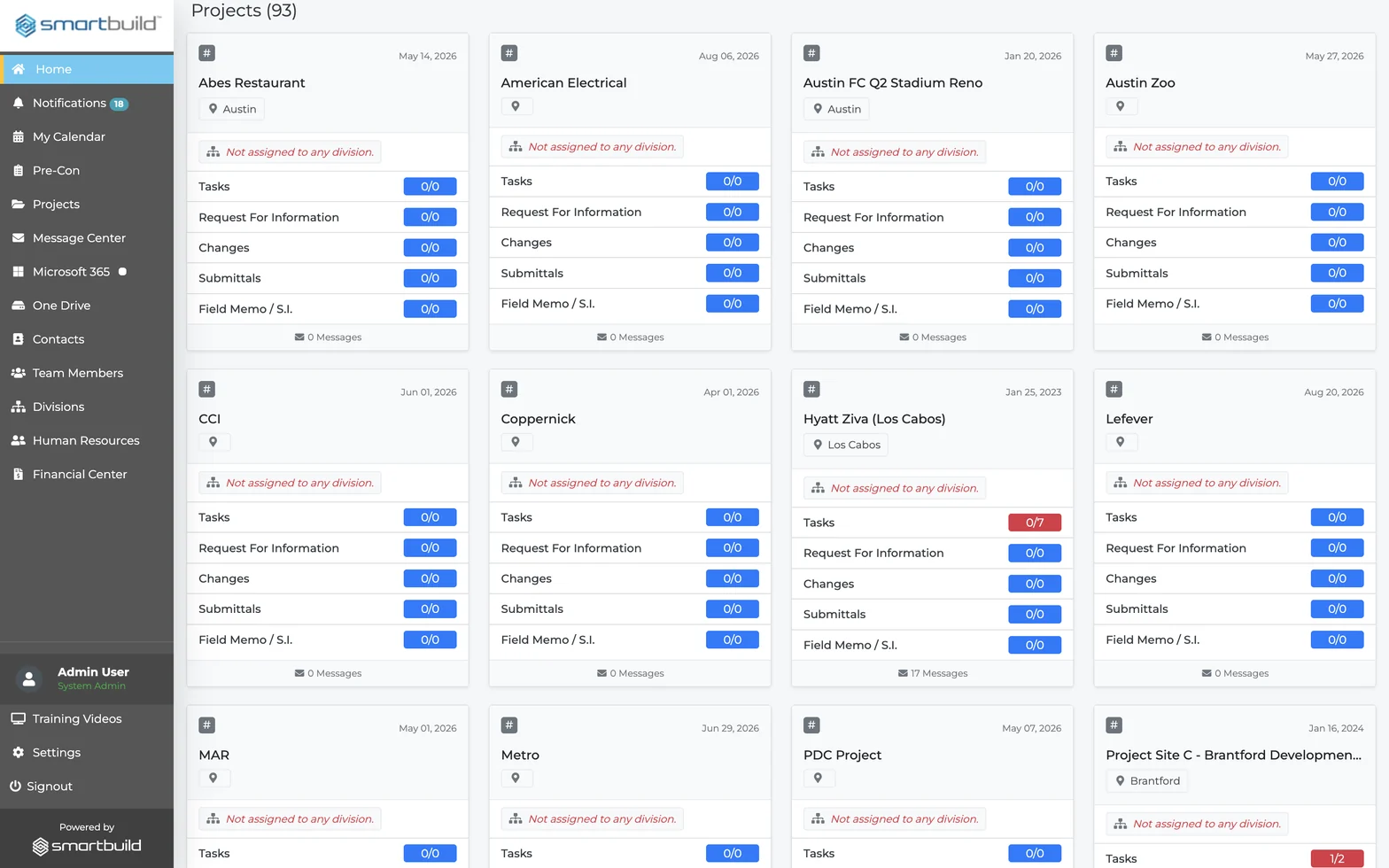
The smrtSUB project dashboard showing several active jobs on one screen, each with its own live Tasks, RFI, change order and submittal counts

Ten modules of subcontractor software

Each module is built around a problem subcontractor PMs already know, such as the questions that come in when the record isn't ready. Each one closes a gap that costs trade subs time and money or leads to disputes.

Maintain your own project record with the GC

The status of every item is tracked across all active jobs.

RFI, Changes & Submittals
Every incoming RFI, change order, and submittal is logged on arrival, assigned, and tracked to closure, with live status across all active jobs.
Project Management (incl. Critical Completion Monitor)
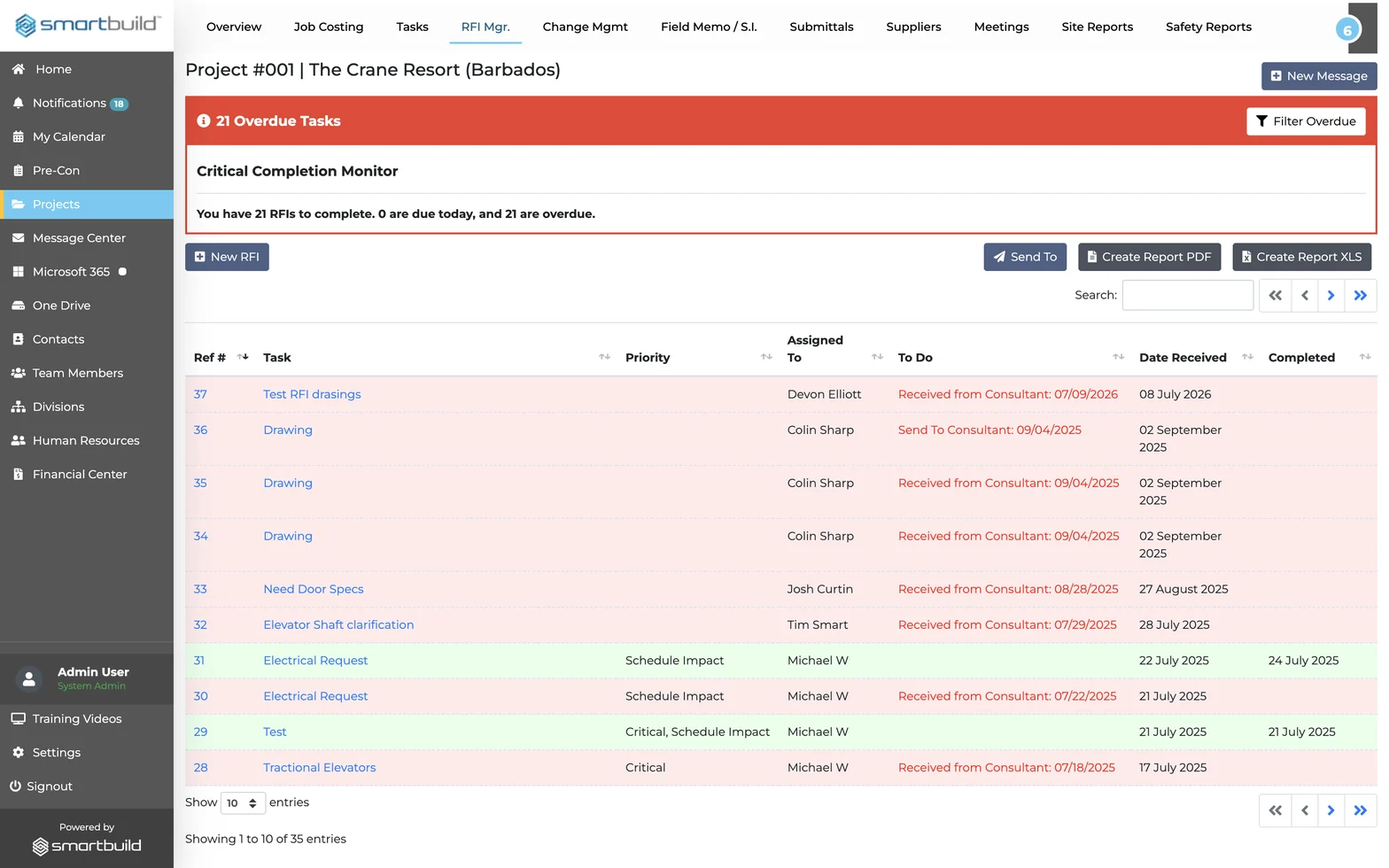
Overdue counts for Tasks, RFIs, Changes, Field Memos, and Submittals appear on one screen before anyone calls.
Tasks & Milestones
Work is assigned with due dates, and overdue items surface automatically.

The answer is ready the moment someone asks.

The RFI register in smrtSUB with its Critical Completion Monitor banner showing overdue RFIs, and each request logged with a priority, owner and dates

Track work changes as they happen

Daily records are filed the day the work happens.

Schedules
Crew deployment is planned and adjusted by job and phase. Changes are recorded as they happen instead of being summarised at month-end.
Photos
Site photos are tagged by job, date, and trade from the field and can be searched at pay app time and at closeout.
Safety & Site Reports
Daily reports and safety documentation are filed from site the same day. With smrt-E, crews can file by voice, so the record is ready before the PM gets to the office.

The job record is complete before a dispute can start.

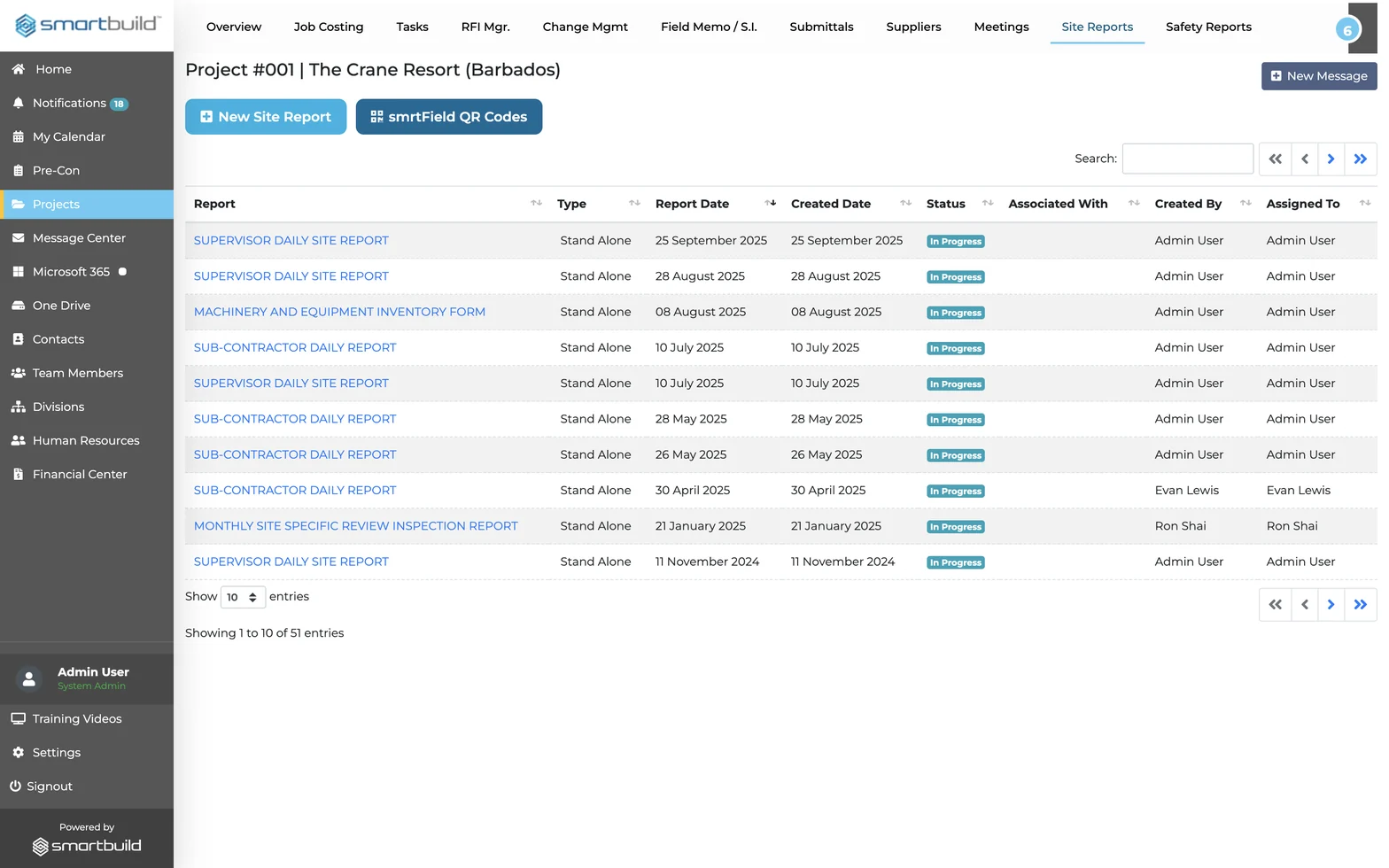
The daily site reports list in smrtSUB — supervisor and subcontractor reports filed from the field, with a smrtField QR codes button for no-login submission

Keep the whole team on one record

The job is managed in one place instead of across email, phone, and a portal.

Integration with Microsoft 365
smrtSUB connects to Outlook, Teams, and SharePoint. Project communication and the project record stay in the same place.
Contact List, Suppliers & Team Members
Every contact, supplier, and crew member is kept in one directory. Supplier commitments and delivery status are logged in the project alongside the people managing them.
Meetings
Decisions, action items, and follow-ups are logged in the project record, where they can be found at closeout.

The whole job sits on one record, from the first RFI to the final pay app.

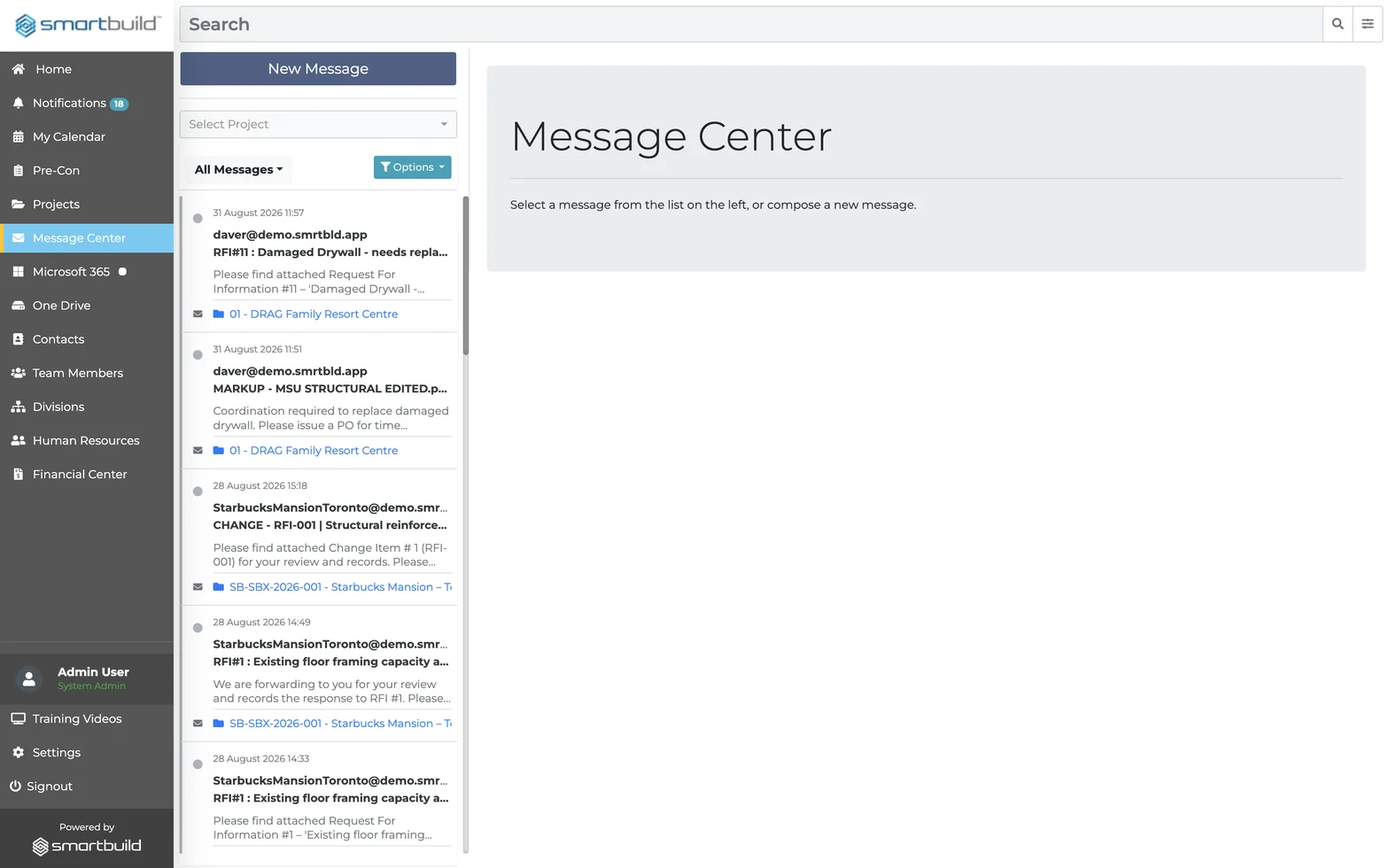
The Message Center in smrtSUB, a project-tagged email inbox that keeps RFI, change and markup correspondence for the whole team on one record
"Before SMARTBUILD, our project managers were spending 20 to 30 hours a week on admin. Now every document is organized and date-stamped, change orders to sub-trades are tracked, and we estimate $125,000 in annual savings across three project managers."

Andrew Chartrand

Vice President

Quality Mechanical

$125KEstimated annual savings
20%Reduction in weekly PM admin hours
3Full-time PMs on one system

Questions subcontractor project managers ask before switching

What is a pay application in construction, and how does smrtSUB help subcontractors prepare one?

A pay application is the monthly billing document a subcontractor submits to request payment for completed work. smrtSUB files daily reports, crew hours, site photos, and change order approvals in real time, so the documentation needed to support the pay app is already on file before it is submitted.

How do subcontractors protect themselves against disputed change orders and back-charges?

Subcontractors protect themselves by logging every change order before work proceeds and tracking it to signed approval. smrtSUB routes each change order through a live log from receipt to closure. When a change order is disputed or a back-charge arrives, the timestamped record of what was ordered, approved, and completed is already in the system.

How does smrtSUB track RFIs and submittals across multiple active jobs?

smrtSUB logs every RFI and submittal with a live status, assigned owner, and due date, visible across all active jobs from one screen. The Critical Completion Monitor flags overdue items before they affect the schedule. For RFIs raised in the field, smrt-E lets crews file by voice with a photo attached, and the PM reviews each one before it goes to the architect.

What software do electrical, mechanical, and plumbing subcontractors use to manage projects?

Electrical, mechanical, and plumbing subcontractors use construction project management software to track RFIs, submittals, change orders, daily reports, and progress billing. Common options include Procore, eSUB, Fieldwire, and BuildOps. smrtSUB is built for trade subcontractors managing 5+ projects who need full project and documentation management in one flat-fee platform.

How long does it take to implement smrtSUB?

Most subcontractors are live on smrtSUB within 10 to 14 days. Setup does not require IT staff. Active jobs and contacts are configured in the onboarding session, field crews can start filing from day one, and we stay involved until the first job is running cleanly.

How is smrtSUB priced compared to Procore or eSUB?

smrtSUB is a flat monthly fee covering unlimited users and unlimited projects. Procore prices by construction volume with additional per-seat costs. eSUB charges per user. For a trade subcontractor adding PMs or taking on more jobs, those models mean costs that scale with headcount. smrtSUB’s cost stays fixed.

See smrtSUB on your type of project

Book a 30-minute demo to see smrtSUB on a live project that mirrors your work, including the RFI log, change orders, daily reports, and pay app.

  • Flat monthly fee.
  • Unlimited users and projects.
Zulq Malik with a colleague at the SMARTBUILD stand at DEFSEC West