














For general contractor and subcontractor PMs
Your drawings. Your project. One place.
Most construction drawing management software sits outside the project. Drawings is built inside SMARTBUILD, so plans, markups, and versions stay where the team already works.
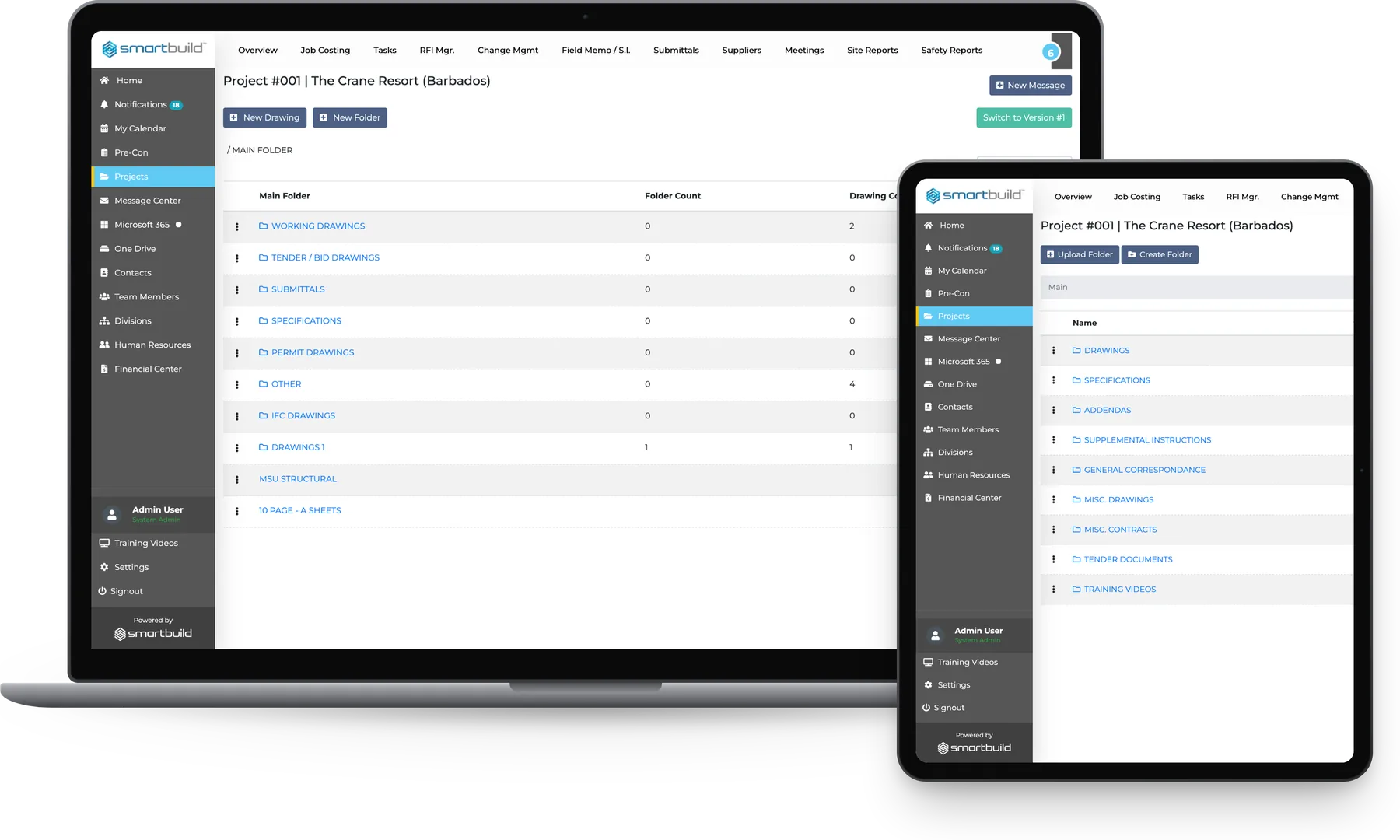
Contractors across North America run their drawings on SMARTBUILD


Project managers waste time chasing the right drawing
The current drawing set is usually scattered between Dropbox, email attachments and a USB stick in the super's truck.
Crews build from whichever copy they have, and that is where rework starts.
| Shared drives | Standalone markup tools | smrtDrawings |
|---|---|---|
| Shared drivesNo version control | Standalone markup toolsLives outside the project | smrtDrawingsVersion history built in, with one-click compare |
| Shared drivesAnyone can overwrite anything | Standalone markup toolsPer-seat cost grows with headcount | smrtDrawingsOne bolt-on price with unlimited users |
| Shared drivesNo record of who marked up what | Standalone markup toolsMarkups flatten when saved | smrtDrawingsMarkup layers stay editable |
| Shared drivesRFIs typed up from memory | Standalone markup toolsNo link to RFIs or change orders | smrtDrawingsDrawings connected to the project workflow |
Wrong drawings cause rework
| Today | On smrtDrawings |
|---|---|
| TodayThe PM renames PDFs to track versions: STRUCT-Rev3-FINAL-v2.pdf | On smrtDrawingsEvery revision is logged automatically, and the version history is one click away. |
| TodayField markups are texted as photos and never filed. | On smrtDrawingsMarkups are saved in layers on the drawing and are visible to the team. |
| TodayThe set is spread across three folders, two email threads and a USB stick, and nobody knows which copy is IFC. | On smrtDrawingsEach project has one drawing log, with Working, Permit, IFC, and Submittals kept separate. |
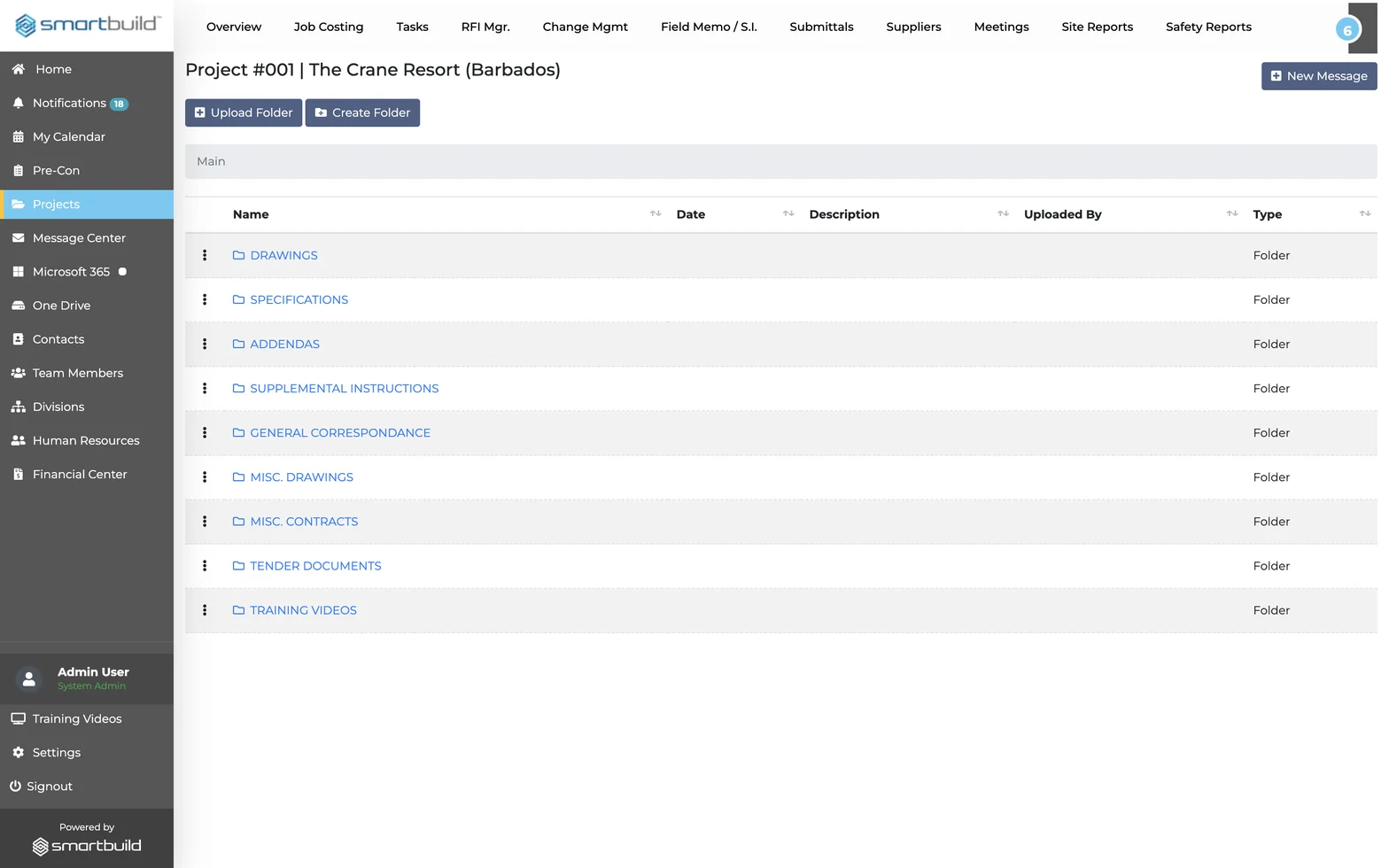
Everyone builds from the same set.
Everything your PM needs to manage drawings on an active job
There are no extra apps and no tab switching. Everything sits inside the project the team already runs.
DOCUMENT ORGANIZATION
One place for every drawing type
Every drawing set has its own place.
The standard folder structure is ready on day one.
- Working Drawings: Live construction set, kept current
- Tender / Bid Drawings: Pre-award set, separate from build set
- Permit Drawings: Authority-issued set, tracked and flagged
- IFC Drawings: Issued for Construction – the set crews build from
- Submittals and Specs: Shop drawings and spec sections, one location
DRAWING VIEWER
Open the plan and read every detail
Plans open without any file conversion.
The drawing opens at full resolution.
- PDF-native rendering: Structural, mechanical, civil sets open directly
- Multi-tab viewer: Two drawings side by side in separate tabs
- Compare tool: Load two versions side by side to see what changed
SMARTMARKUP
Markups that stay with the drawing
Annotations are added without touching the original.
Every markup is traceable.
- Layered markup: Notes and shapes sit on separate layers, so the original stays clean
- Annotate, Shapes, Insert: Full markup toolkit built into the viewer
- Fill and Sign: Mark up, sign, and return without leaving SMARTBUILD
VERSION CONTROL
Know what changed and when
Every revision is logged and dated.
When the owner asks what changed, the PM can show them.
- Version history: Every revision logged, switchable in one click
- Switch to prior version: Restore any revision without overwriting current set
- Compare tool: Load two versions side by side to see exactly what moved
Questions PMs ask before adding Drawings
What is construction drawing management software?
Construction drawing management software organizes, versions, and distributes project drawings so every team member works from the current set. Drawings delivers this inside SMARTBUILD, with no separate tool and no extra login.
How does drawing version control work in SMARTBUILD?
Every upload creates a new version automatically. The full history is visible on any drawing, and switching back to any prior version takes one click. The Compare tool shows exactly what changed between two revisions.
What is the difference between working drawings and IFC drawings?
Working drawings are the live set updated throughout the job. IFC (Issued for Construction) drawings are the approved set released to trades for build. Drawings stores both in separate folders so no one builds from the wrong set.
How do drawings connect to RFIs and change orders?
Because Drawings lives inside SMARTBUILD, the drawing is in the same platform as the RFI log and change order workflow. Nothing has to be copied and pasted or sent as screenshots in email threads.
How is Drawings different from a shared drive or Dropbox?
A shared drive stores files. Drawings versions them, layers markups on them, connects them to project workflows, and shows the team which set is current. Setup takes less than a day.
What does Drawings cost?
Drawings is a flat-fee bolt-on to smrtGC or smrtSUB, with one price for the full team on every project rather than per seat. Contact us for current pricing. No long-term contract is required to start.
See Drawings on a full drawing set
The demo runs on a full drawing set. It shows the current sheet staying up to date, markups placed where the field can see them, and superseded revisions locked. Questions about real jobs are welcome.
- This flat-fee bolt-on covers unlimited users and projects, with no long-term contract required to start.